
- Help Center
- Dashboard, Profile and Preferences
- Customizing and Setting Up Your Profile + Preferences
-
Dashboard, Profile and Preferences
-
Managing Members
-
Billing
-
Payment Processing & Accounting
-
Scheduling and Attendance
-
Onboarding
-
Online Registration and Contracts
-
IOS and Android Apps
-
Learning Management
-
Communication (SMS/Email/Chat)
-
Reporting
-
Import/Export Data
-
Integrations
-
Customer Success and Help
-
Feature Releases
-
Newsletters
Editing the School Capacity Shown on the Dashboard
Here's how to edit the "Total Capacity" number found on the school dashboard.
You'll notice on our dashboard we have a statistic for "Max Student Capacity" for your school vs. active students. You can edit this capacity limit and exclude students to make this as accurate as possible.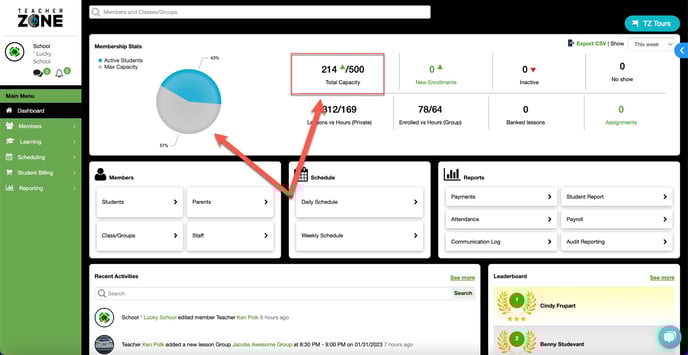
1. Go to preferences>edit amount>save.

2. Exclude students by editing them and unchecking the box.
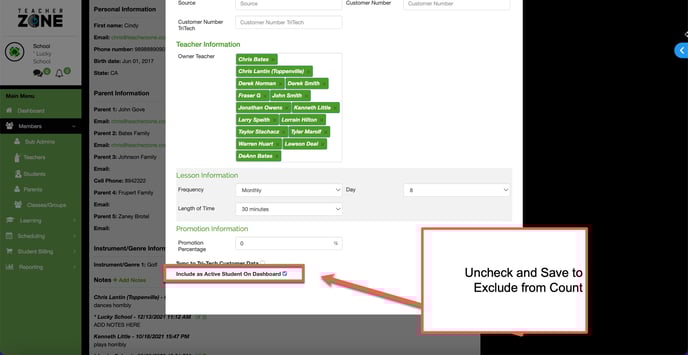
And done!